Jackson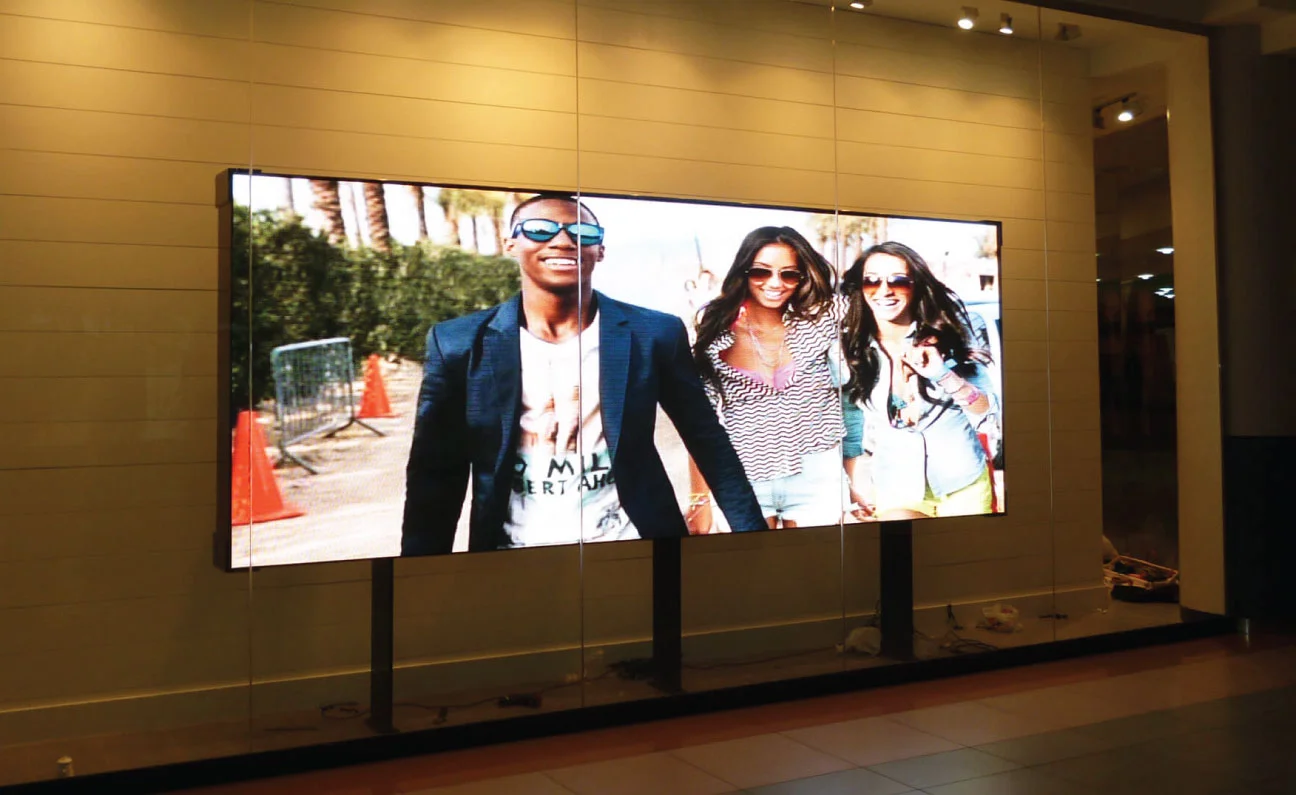
Indoor LED displays have transformed modern communication, visual advertising, and entertainment. Whether installed in a corporate boardroom, shopping mall, control room, broadcast studio, or retail showroom, an Indoor LED Screen provides vibrant visual performance, high contrast, and seamless displays that capture attention. However, simply purchasing a high-end display panel is not enough. The way an Indoor LED Screen is planned, mounted, calibrated, and maintained directly dictates its visual sharpness, color accuracy, contrast ratio, and operational longevity.
Improper setup can lead to noticeable cabinet seams, color distortion, flickering, overheating, and premature component degradation. To help you achieve crystal-clear visuals and reliable long-term performance, here is a comprehensive guide on installation tips for your Indoor LED Screen.
Pre-Installation Planning and Environmental Assessment
Successful setup begins long before mounting hardware onto a wall. Thorough site analysis ensures that your display operates under optimal conditions and delivers the highest image fidelity.
Evaluating Ambient Lighting and Reflection
Unlike outdoor displays that fight direct sunlight with extreme brightness, an Indoor LED Screen must balance clarity without causing glare or eye strain. Assess the ambient lighting conditions of the room:
- Position the display away from direct sunlight coming through large windows or skylights.
- Avoid installing spotlight fixtures directly facing the screen surface, as this creates harsh reflections on the dark surface of the light-emitting diodes.
- Adjust display brightness according to ambient light levels to prevent visual fatigue and extend diode lifespan.
Measuring Viewing Distance and Pixel Pitch
The relationship between viewing distance and pixel pitch determines image clarity. Pixel pitch refers to the distance between the center of one pixel and the center of the adjacent pixel, measured in millimeters.
- Close Viewing Distances (1.5 to 3 meters): Choose a fine pixel pitch (such as P1.2 to P1.8) for crisp text and sharp image detail.
- Medium Viewing Distances (3 to 6 meters): A standard pixel pitch (such as P2.0 to P2.5) provides a balance between cost and image clarity.
- Selecting an incorrect pixel pitch for your environment can result in pixelation if viewers are too close, or unnecessary expense if they are too far away.
Structural Integrity and Mounting Alignment
Physical alignment is crucial when installing an Indoor LED Screen. Because these screens consist of multiple individual cabinets joined together, even fractional misalignments can cause visible grid lines or uneven surfaces.
Choosing the Right Mounting Frame
A flat, rigid, and precisely leveled support structure is mandatory:
- Steel or Aluminum Framing: Use high-grade metal frames that do not flex or warp over time under the weight of the display panels.
- Surface Flatness: Ensure the mounting wall or sub-frame is flat. Any bow or tilt in the wall will cause misalignment between cabinets.
- Accessibility: Plan for front-service or rear-service access depending on space constraints, allowing easy maintenance without dismantling the entire setup.
Achieving Seamless Cabinet Junctions
Seamless visual continuity is one of the biggest advantages of an Indoor LED Screen. To achieve a truly seamless display wall:
- Use micro-adjustment mechanics on mounting brackets to align cabinets in three dimensions (X, Y, and Z axes).
- Avoid excessive physical force when locking cabinets together, as this can damage delicate edge LEDs.
- Continuously check horizontal and vertical levels using a precision spirit level or laser level during assembly.
Thermal Management and Power Distribution
Proper power delivery and heat dissipation directly influence display stability, color consistency, and diode longevity.
Ventilation and Air Circulation
Heat is the primary cause of LED degradation and color shift. While indoor environments are temperature-controlled, heat can build up behind a tightly wall-mounted unit:
- Maintain adequate clearance (typically at least 5 to 10 cm) behind rear-service installations for airflow.
- Install quiet internal exhaust fans or dedicated ventilation slots within recessed wall enclosures.
- Keep room temperatures steady, as overheating can cause individual modules to shift in color or fail completely.
Stable Power Supply and Cable Routing
Electrical noise and voltage fluctuations negatively impact image processing and frame rates:
- Dedicated Power Lines: Run dedicated power circuits for the Indoor LED Screen to eliminate interference from heavy electrical equipment on the same line.
- Balanced Load Distribution: Evenly distribute power loads across multiple power supplies inside the screen array to prevent voltage drops.
- Clean Cable Management: Keep signal cables (CAT6 Ethernet or fiber optics) physically separated from main AC power cables to prevent electromagnetic interference, which causes image noise or flickering.
Signal Processing and Calibration
Once the physical hardware is installed, configuring the signal chain and performing optical calibration unlocks the full image quality potential of the display.
High-Quality Video Processors and Controllers
An Indoor LED Screen relies heavily on its receiving cards and sending processors to display smooth, high-resolution content:
- Select a video processor that supports native panel resolution to prevent awkward scaling artifacts.
- Ensure high refresh rates (3840Hz or higher) to avoid visible scan lines on camera feeds or during video recording.
- Match source input frame rates (e.g., 60Hz) with controller output settings for smooth motion handling.
Module Calibration for Color and Brightness Uniformity
Factory-calibrated modules can display slight variations in color hue and brightness when joined together into a single large screen:
- Point-to-Point Calibration: Perform pixel-level brightness and chromaticity calibration after installation to eliminate “patchwork” color shifts across different cabinets.
- Grayscale Optimization: Adjust gamma curves and grayscale balance so low-light scenes retain full detail without crushing shadow areas or washing out dark tones.
- Color Temperature Tuning: Set the color temperature (standard 6500K for balanced white reproduction) according to the room’s ambient lighting and specific application needs.
Long-Term Maintenance and Best Practices
Maintaining high visual quality and performance requires consistent care and proper operational protocols.
Safe Cleaning Procedures
Dust accumulation can reduce brightness and dim overall visual clarity:
- Use a soft, static-free micro-fiber cloth or an anti-static air blower to clean the LED surface.
- Never spray liquids directly onto the display surface.
- Avoid using harsh chemical cleaners, alcohol, or abrasive materials that could strip protective coatings or loosen surface-mounted diodes.
Regular Health Inspections
A proactive maintenance schedule prevents sudden operational failures:
- Periodically check signal and power connections for loose fittings.
- Monitor power supply outputs to ensure consistent voltage across all modules.
- Keep spare receiving cards and LED modules from the same batch on hand so any future replacements match existing color profiles seamlessly.
Conclusion
Installing an Indoor LED Screen requires a careful combination of structural precision, electrical management, environmental planning, and fine-tuned calibration. By conducting a detailed site survey, ensuring precise cabinet alignment, setting up adequate thermal dissipation, and performing point-to-point color calibration, you maximize visual sharpness and color accuracy. Following these installation tips guarantees that your display delivers immersive visual experiences and dependable performance for years to come.